
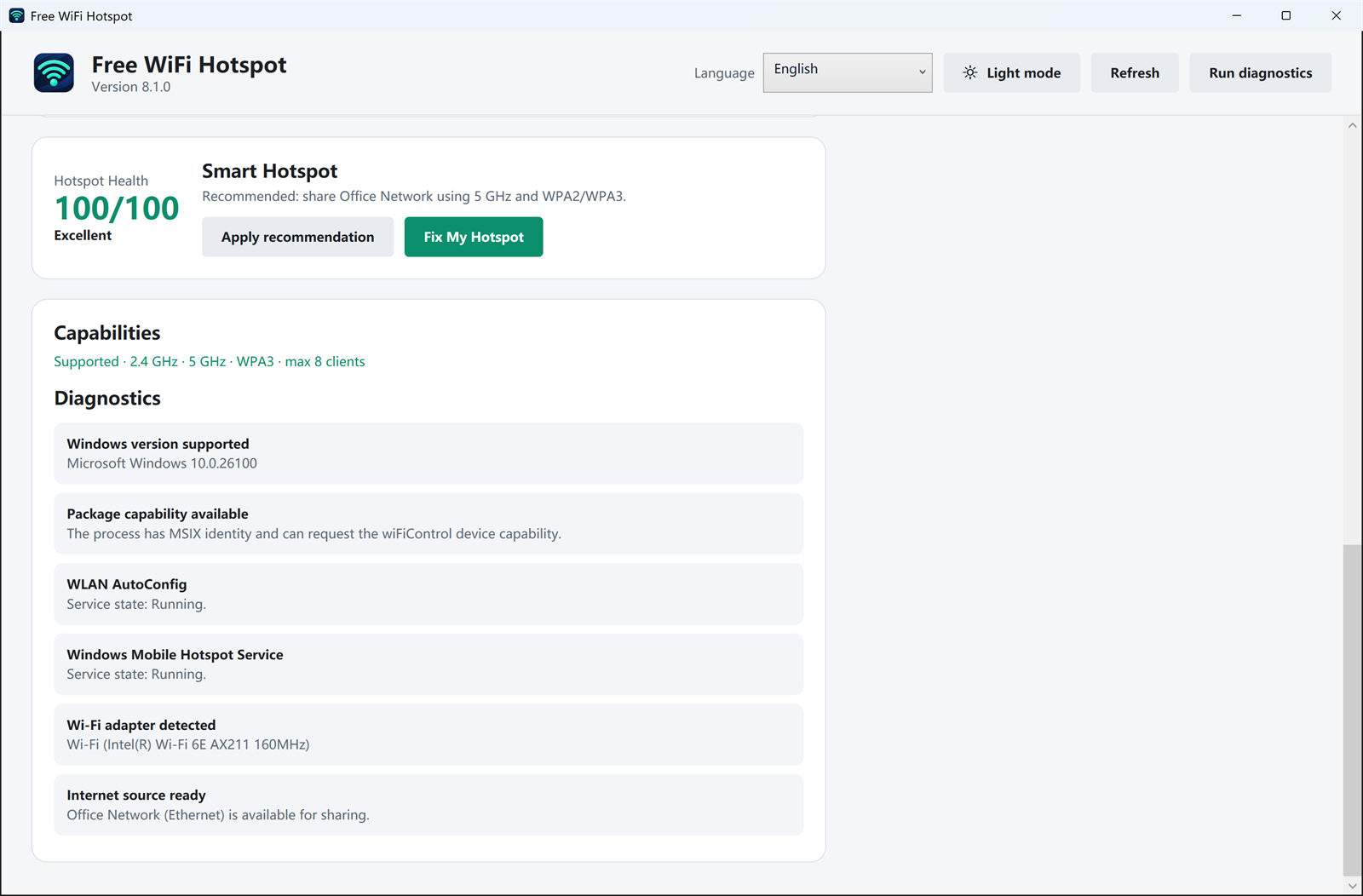
Run diagnostics on the PC that will share the connection. The screen is a check of this computer, not a scan of nearby Wi-Fi and not a speed test. A score of 100 means the items below passed. Fix My Hotspot is for a failed item. Apply recommendation fills in the band and security the app suggests for the adapter.
What a passing check looks like
Windows version
Version 8.1.0 supports Windows 11 and Windows 10. If the PC is older than that, this release will not run.
WLAN AutoConfig
This Windows service has to be running. If it is stopped, the Wi-Fi adapter cannot host a hotspot. Start the service, then run the check again.
Mobile Hotspot service
Windows uses this service to share the connection. A stopped service is a reason the hotspot button does nothing. The 12-fix guide covers the usual service and driver cases.
Wi-Fi adapter
The check names the adapter it found, for example an Intel Wi-Fi card. No adapter, or an adapter whose driver cannot host a hotspot, means phones have nothing to join. Update that driver before trying again.
Internet source
The PC itself has to be online. The check says which source is ready, such as Ethernet. If the PC cannot open a web page, sharing it will not help the phone.
Bands, security, and how many devices
The capabilities line lists 2.4 GHz, 5 GHz, WPA3, and the maximum number of clients when the adapter supports them. That is the hardware limit, not a limit added by the app.
What this check does not do
It does not test the phone, and it does not measure the whole internet the way a public speed test does. After the hotspot is on, live upload and download for the connected devices are on the speed and devices screen. A hotel or airline device limit still applies.