Free Wi-Fi hotspot software for Windows
Turn your Windows PC into a Wi-Fi hotspot.
Share your existing internet connection with your phone, tablet and other devices. Free for Windows 11 and Windows 10.
Requires Windows 10 version 2004 or later, or Windows 11, a compatible Wi-Fi adapter and an existing internet connection.
Ready in three steps
Your Windows hotspot, made simple.
Start with a working connection and a Wi-Fi adapter that supports Windows hotspot sharing.
Select your connection
Choose the working internet source you want to share from your PC.
Name your Wi-Fi network
Set a recognizable network name and a strong, unique password.
Start your hotspot
Join from your phone or tablet. Stop sharing when the session is over.
Sharing options depend on Windows, your adapter and its driver. Read the setup guide.
See what your PC can do
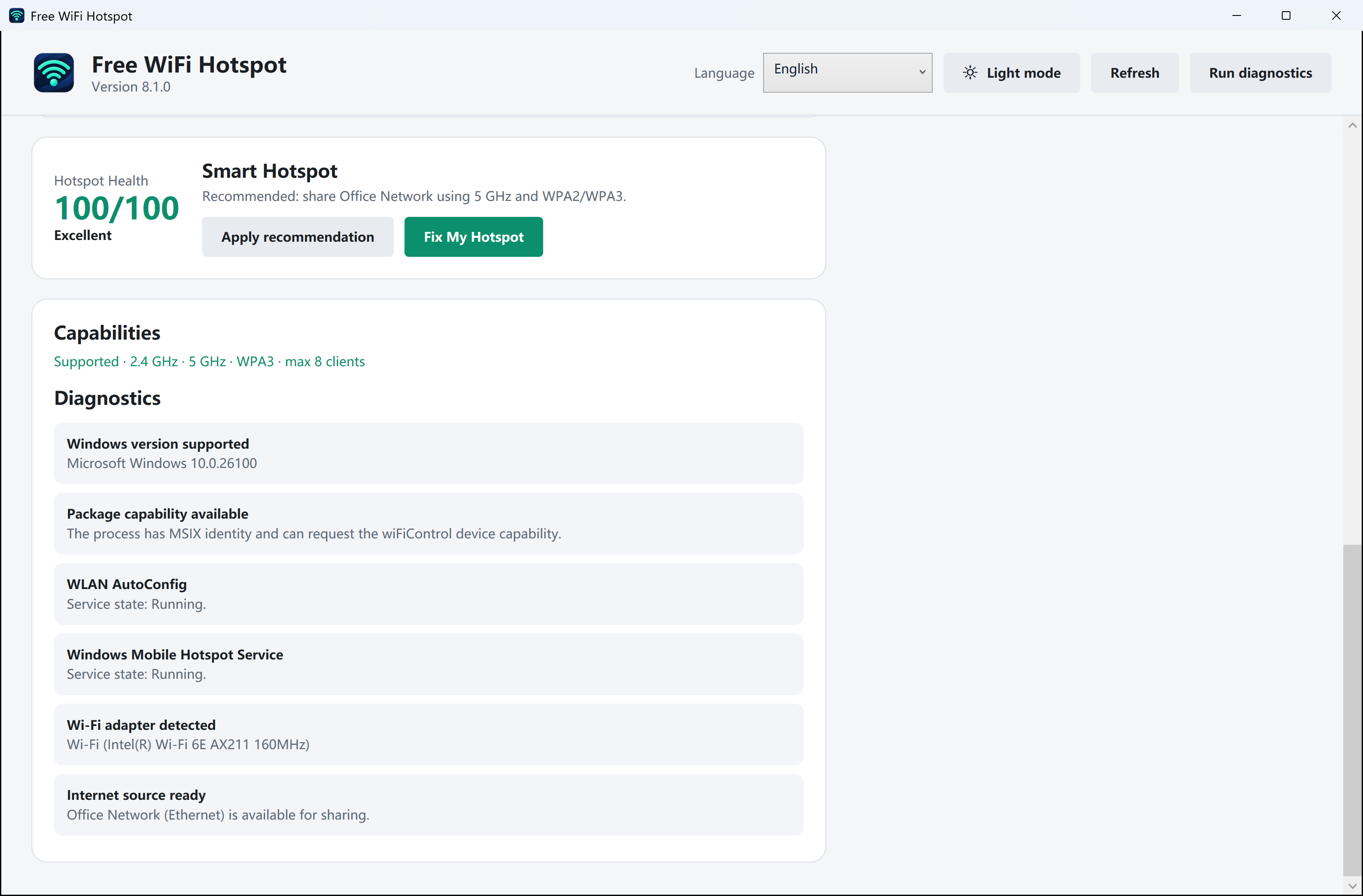
Check your setup before you share.
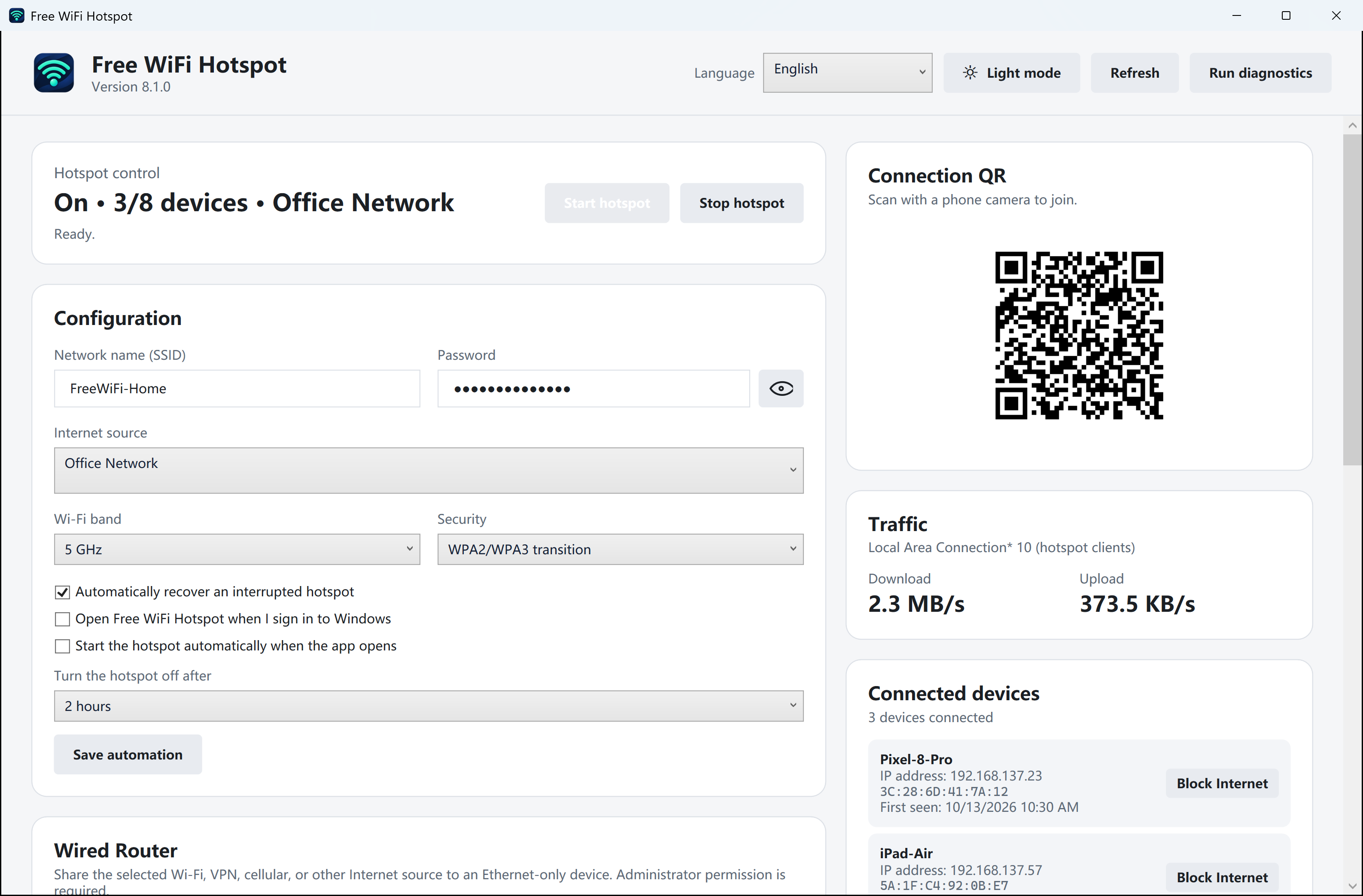
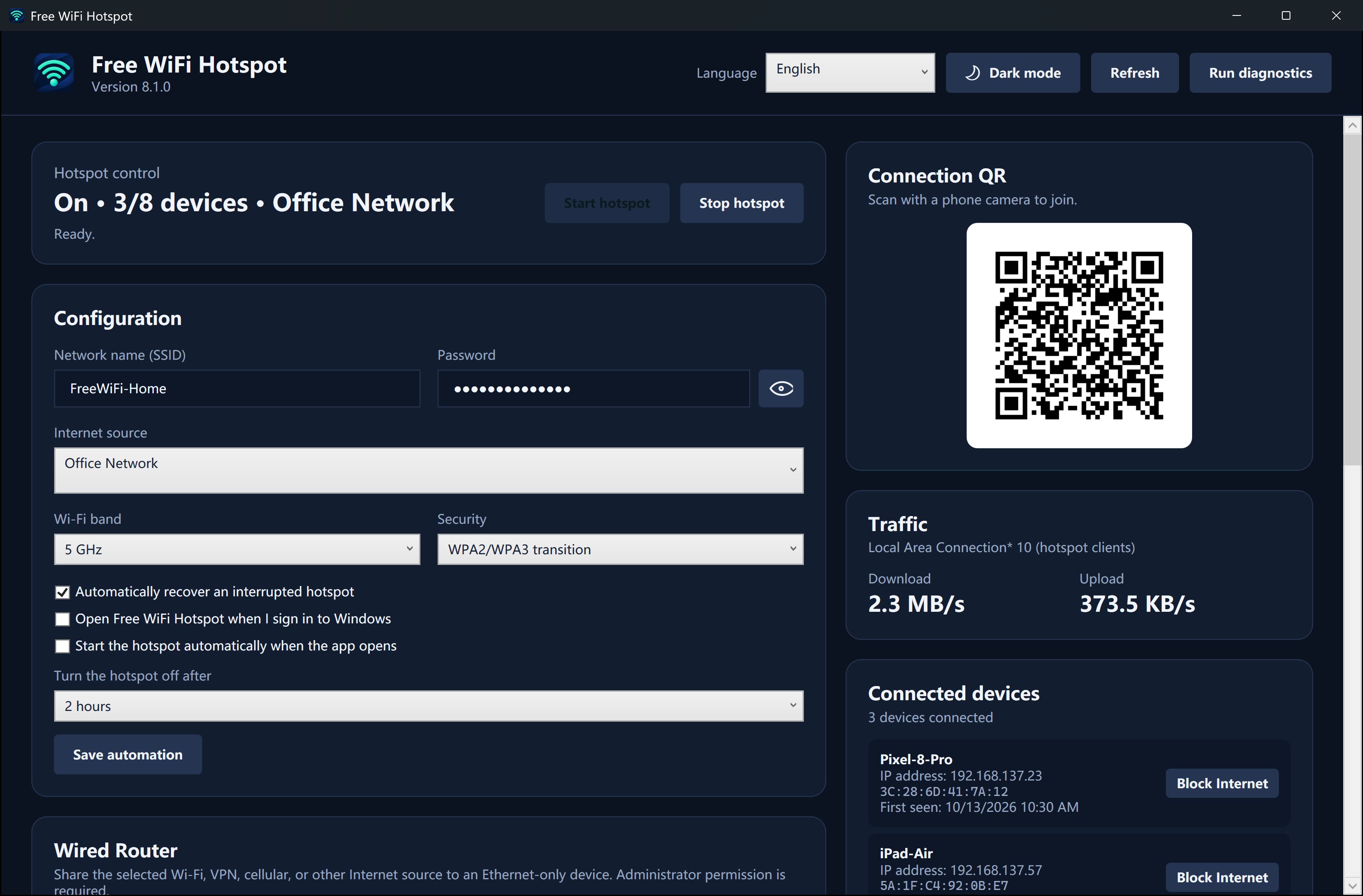
View hotspot settings and connection information in one dedicated Windows interface.
- Review Wi-Fi and hotspot capability information.
- Choose the network name, password and available Wi-Fi band.
- View connection status, traffic information and detected devices.
5 GHz and WPA3 require compatible hardware, drivers and Windows support. Your screen and available options may differ from the example.
Explore light and dark screenshotsFind your answer
A hotspot guide for your situation.
Sharing from a phone, choosing Windows software or fixing a connection? Start with the guide that fits.
Hotspot apps for iPhone & Android
Find the right way to share your phone’s mobile data, with clear setup steps.
Read guideCompare Windows hotspot options
Understand the built-in Windows hotspot and when a dedicated app is useful.
Read guideConnected, but no internet?
Work through common Windows hotspot startup and connection problems.
Read guideBefore you download
Your hotspot questions, answered.
Is Free WiFi Hotspot really free?
Yes. Free WiFi Hotspot is free to download and use. You still need an existing internet connection; charges and data limits from your internet or mobile provider still apply.
Can I create an online hotspot without downloading an app?
On a supported Windows PC, open Settings → Network & internet → Mobile hotspot to use the built-in feature without installing another app. Free WiFi Hotspot is an optional Windows desktop app with a dedicated interface for hotspot setup and connection information.
Can I share Ethernet or Wi-Fi with my phone?
The app uses Windows hotspot and internet sharing capabilities. Choose an existing working connection to share, set a network name and password, then connect your phone or tablet to that Wi-Fi network. Available sharing modes depend on your Windows version, Wi-Fi adapter and driver.
Does it work on Windows 11 and Windows 10?
The current 8.1.0 release requires Windows 11 or Windows 10 version 2004 (build 19041) or later, plus a compatible Wi-Fi adapter and driver. Managed computers may restrict internet sharing.
Can I install this app on Android, iPhone or Mac?
This download is for Windows PCs. Phones and tablets can connect to the Wi-Fi hotspot created by a compatible PC. To share a phone’s mobile data instead, use Personal Hotspot on iPhone or Hotspot & tethering on Android.
Will it make my internet faster or give me unlimited data?
A hotspot shares the connection you already have. Speed depends on that connection, the Wi-Fi hardware, signal and connected devices. The app does not remove provider data limits or supply a separate internet service.
Your PC. A Wi-Fi hotspot.
Share the connection you already have. Get the free Windows app and bring your other devices online.
Version 8.1.0 · 2.42 MB · Digitally signed
Windows 11 / Windows 10 2004+ · Compatible Wi-Fi adapter required